A practical guide behind the button
What happens after you press “Prepare”?
A video may arrive as separate picture and sound streams
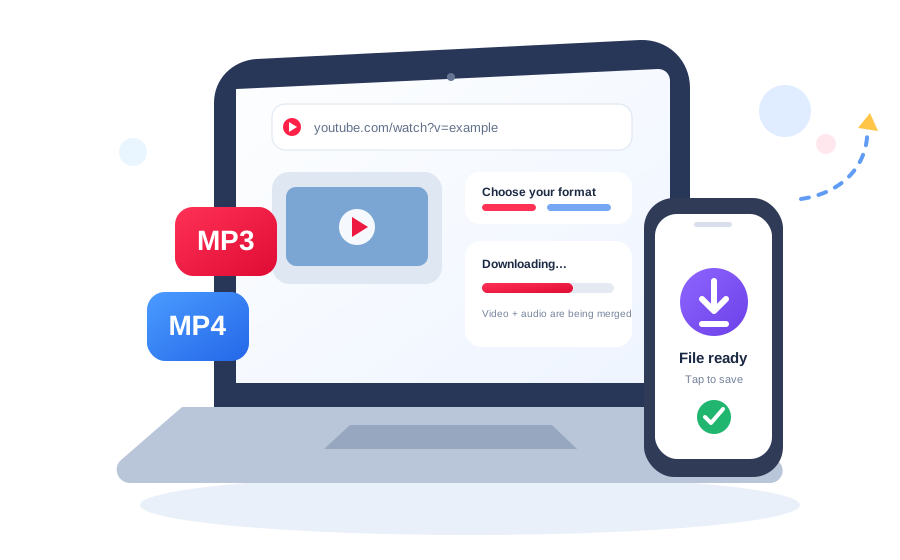
Modern video platforms do not always deliver one ready-made file containing both picture and sound at every resolution. A higher-quality video stream can be available separately from its audio stream. When that happens, the downloader retrieves compatible streams and the server combines them into one MP4 file. That is why a job can move from “downloading” to “merging” even after the progress bar appears nearly complete.
This merge step is not an extra advertisement or a fake delay. It is part of producing a practical final file when the source supplies video and audio independently. For MP3, the workflow is different: the service focuses on the audio track and converts it to the bitrate you selected.
Processing time depends on more than the length of the video
A five-minute 1080p video can require more data than a much longer low-resolution clip. Processing speed depends on the source formats available, the selected quality, the size of the video and audio streams, network conditions between the source and server, and how many jobs the server is already handling. A queued status simply means your job is waiting for an available processing slot.
Keeping the page open is useful because the interface polls the job endpoint and translates backend stages into normal language. If you reload during an active job, the page stores the current job ID for that browser session and attempts to resume the progress check instead of immediately creating a duplicate job.
A YT MP3 converter changes format; bitrate still depends on the source
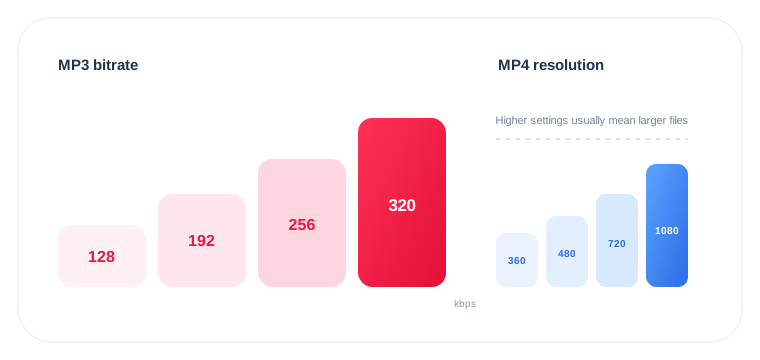
MP3 bitrate is measured in kilobits per second. Whether you call the tool a YT MP3 converter, YTMP3 converter, or YouTube audio converter, the same technical limit applies: higher bitrates allocate more data to the encoded audio, but only up to the quality available in the source. Converting a low-quality audio source to 320 kbps does not restore missing frequencies or turn a poor recording into genuine high fidelity.
For spoken material or situations where storage matters, 128 kbps may be enough. 192 kbps is a practical middle setting. The 256 and 320 kbps choices make sense when you prefer a higher bitrate and do not mind a larger file. If you are unsure, start with 192 kbps instead of automatically choosing the largest number.
Search phrases such as YT to MP3 converter and YT to MP3 describe this same audio-only workflow. The wording changes, but the useful decision is still the same: choose MP3, then pick a bitrate that matches the source and the file size you want.
Resolution affects picture detail and file size
Video resolution is written using the vertical pixel count: 360p, 480p, 720p, 1080p, 1440p, or 2160p. A higher number usually requires more data, but source availability still decides what can actually be delivered. Selecting 4K for a source that only exists at 720p cannot produce genuine 4K detail.
For phones and quick sharing, 480p or 720p can be efficient. 1080p is a common choice for larger screens. 1440p and 2160p make the most sense when the source really contains that resolution and you have enough storage and bandwidth for the larger file.
Why the final download link expires
The downloader is a processing tool, not a permanent file-hosting service. The backend places finished files behind temporary tokens and removes expired jobs and old files during cleanup. That limits how long generated media remains addressable through the service. The current server configuration is designed around short-lived delivery, so save the result when it becomes ready instead of bookmarking the generated URL.
Responsible use mattersA working converter does not change ownership or licensing. Use the tool for your own media, public-domain material, creator-authorized downloads, or content you otherwise have permission or a legal right to save.
On desktop, the larger screen makes it easier to compare format and quality choices. On mobile, the same controls are stacked and the action button spans the available width. In both cases the underlying job is the same: validate the URL, create a job, monitor progress, and deliver the file when the server finishes.
If a common setting fails, retrying with MP4 720p or MP3 192 kbps is a sensible troubleshooting step because those choices are widely practical. For more detail, use the download troubleshooting guide, the MP3 bitrate guide, or the video resolution guide.